Weekly statistics in Giddh
To view your weekly statistics in GIDDH, log in to your GIDDH account and open the Dashboard.
You can quickly access the Dashboard by pressing:
Ctrl + G (Windows) or Cmd + G (Mac), Search for Dashboard and select it.
or use the search icon at the top of the page.

Apply the date filter and check your weekly status.
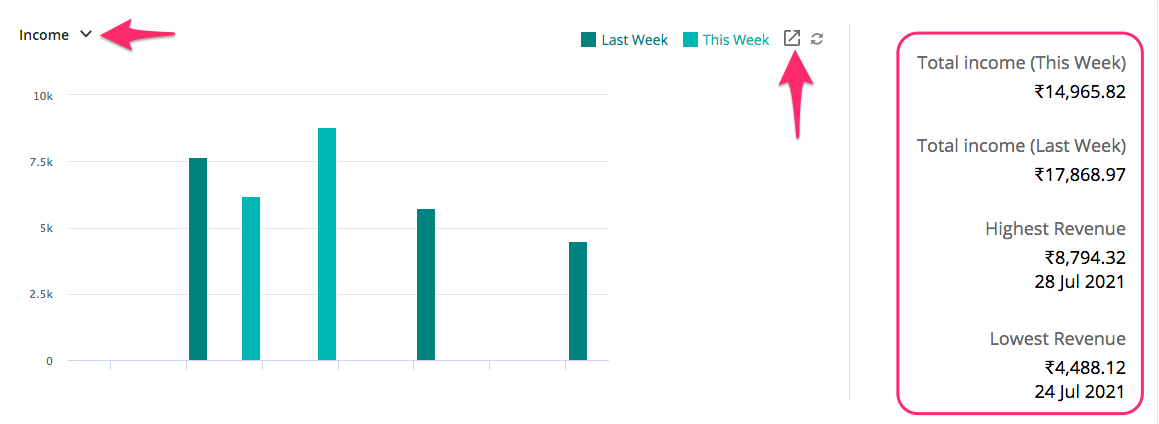
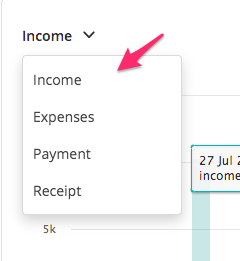
You can also change the status from the drop-down.
Was this helpful?