Make the Switch
Features
Pricing
GST
About
Resources
Login
Sign Up
Make the Switch
Features
Pricing
GST
About
Resources
Login
Sign Up
Ask AI
Overview
🔧 GIDDH Setup Guide
Subscription Plans
Account Settings
Inventory Management
Invoice Management
Vendor Management
Reports
Expense Management
Users and Permissions
Tax Management
Migrate to Giddh
Dashboard
Customer Management
Branch Management
Integration
Sync with Tally
Profile Settings
Roles and Permission
Nepal
Kuwait
Oman
Qatar
Saudi Arabia
Australia
Bahrain
UK
UAE
US
API Integration
AUTOMATION
Built with
DocStar
/
Branch Management
/
How to Switch Branch
Ask AI
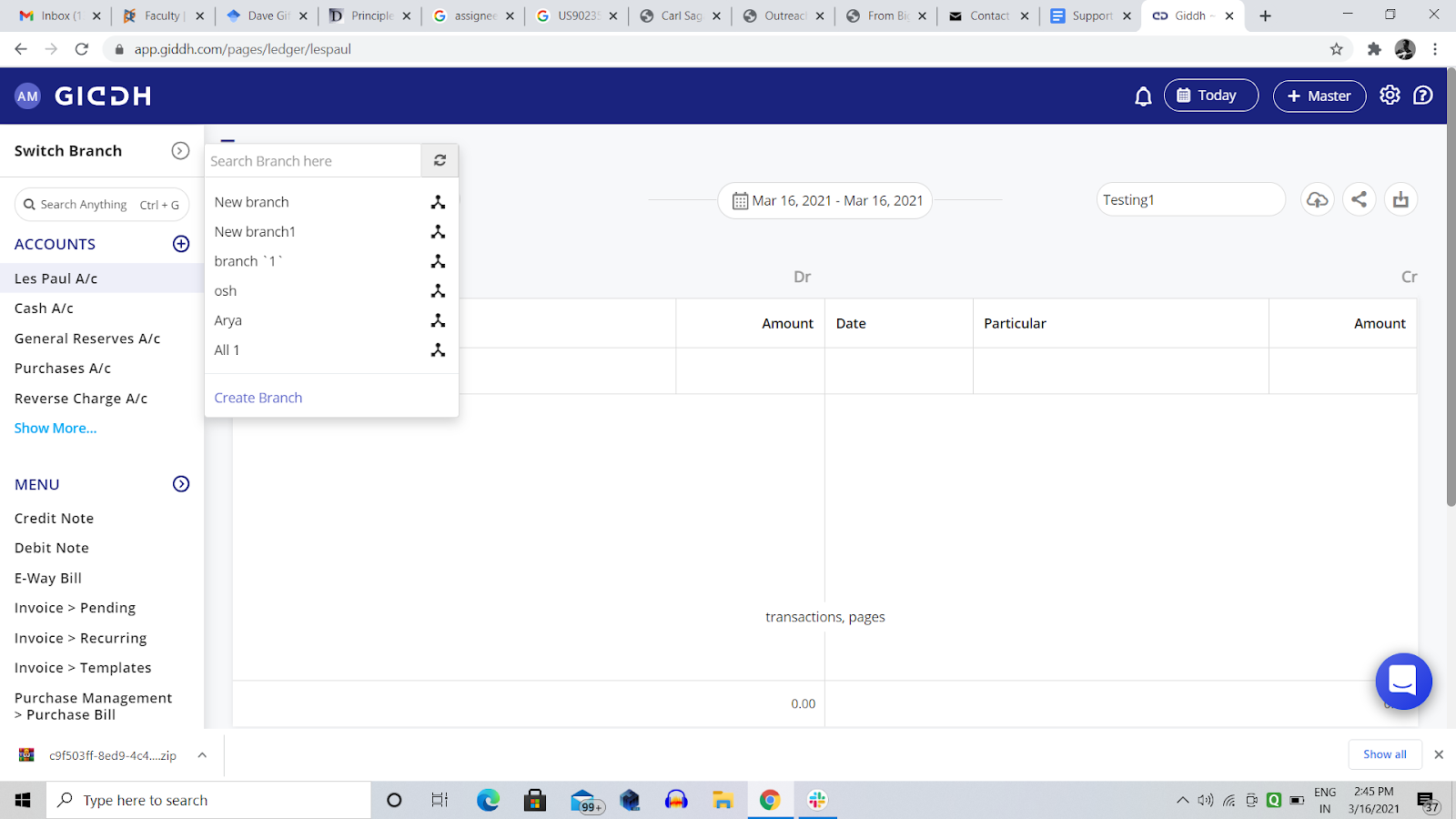
How to Switch Branch
To switch branch in Giddh > Branch name on the top left corner > Branch name
Was this helpful?
Built with
DocStar
Was this helpful?
 Built with DocStar