Edit/ delete stock in inventory
To edit or delete stock in Inventory on Giddh, log in to your Giddh account.
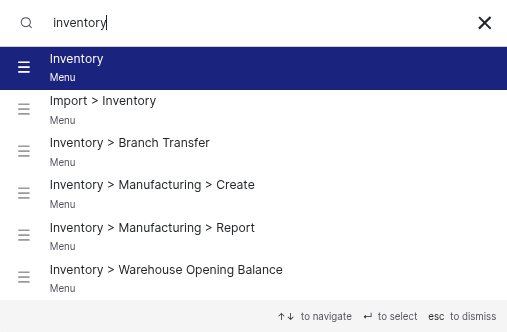
To quickly search for anything in Giddh, press Ctrl+G (Windows) or Cmd+G (Mac).
OR
Use the search Icon at the Top.
Search for "Inventory" and select the Inventory option from the menu.
Go To Item wise section from the left hand panel in the inventory.
.webp)
There you will be provided with the list of the items which are created in your inventory.
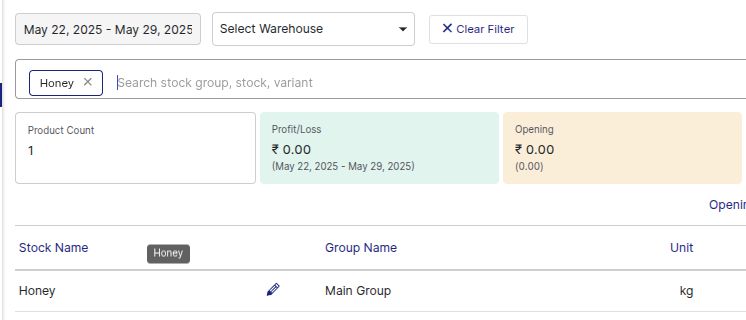
Search the name of the stock which you want to edit or delete.
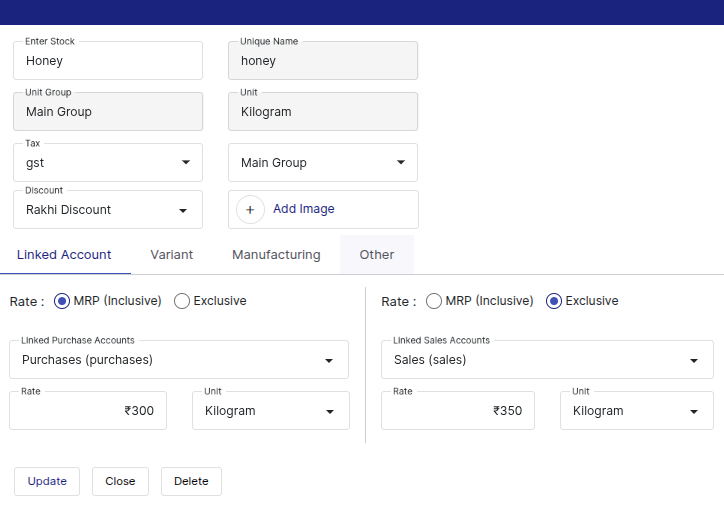
Click the edit icon(pencil) on the right side of the selected stock.

Update the stock information and click the "Update" button to save the changes.
To delete the stock, simply click the "Delete" button.
Was this helpful?