Create a custom role
To create a custom role in Giddh log in to your Giddh account.
Click on the Settings icon on the top right corner > Manage user (permission)

Click on the +Custom Role button in the top right corner. It will open the pop-up
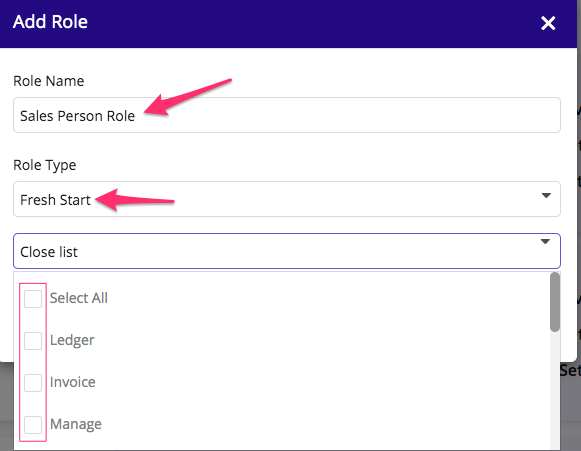
Select fresh start if you want to create a fresh role and select the options from the dropdown.
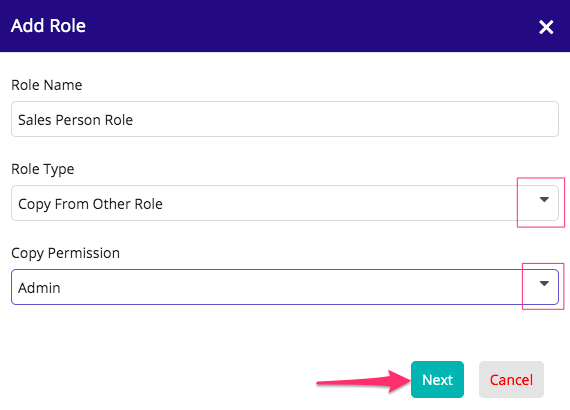
If you want to copy the existing role and edit few things in that then choose copy from others > Next
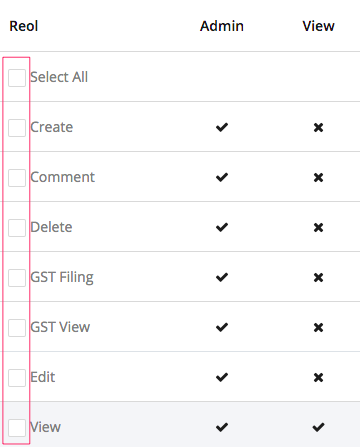
Select the actions that you want to provide > save the role.
Was this helpful?