Generate an E-way bill
To generate an E-way Bill in Giddh, first log in to your Giddh account.
To quickly search for anything in Giddh, simply press Ctrl + G (Windows) or Cmd + G (Mac).
Press Ctrl + G (Windows) or Cmd + G (Mac) and type “Invoice” to search for it in Giddh.

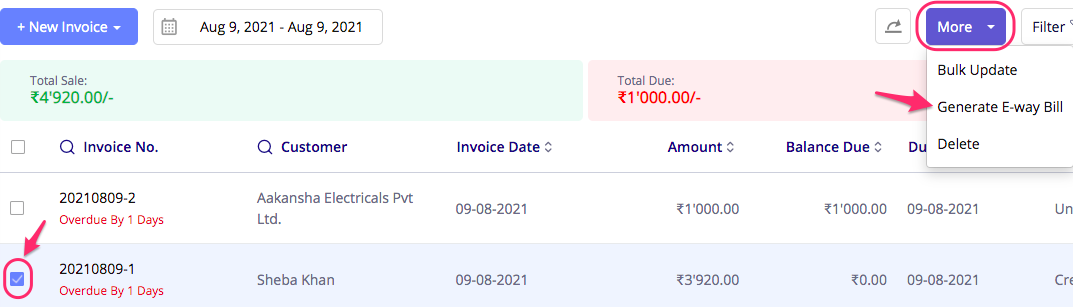
Click on the Invoice menu, select the invoice you want, and then click on the More button in the top right corner.
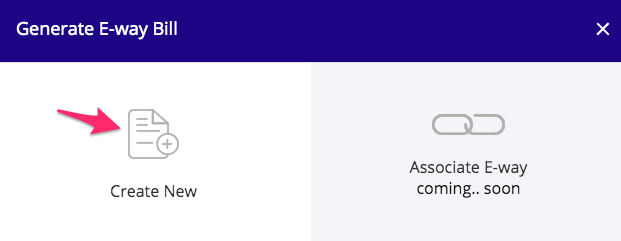
Click on Create New.
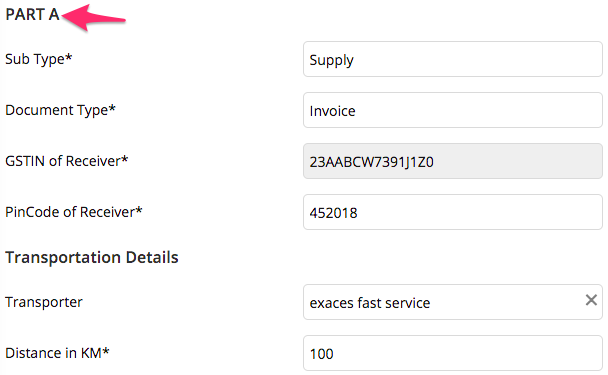
Fill PART A details
Then fill PART B details
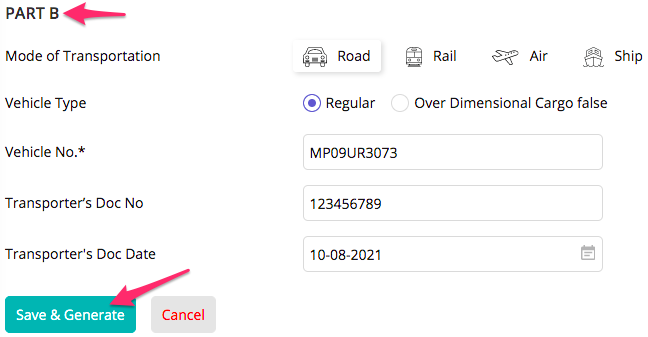
Click on Save & Generate.
Your E-way Bill will be successfully generated.
Was this helpful?